01 · Live wall
See the car the driver can’t
- Timing tower with flags, relative and sector yellows
- Onboard video, track map, tyres and in-car settings
- Every team car on one wall, not just yours

Live timing, onboard video, fuel and tyres on every screen your crew has, with pit calls sent back from the wall. Afterwards, every lap is kept for analysis, and agentic AI works through it with you.
Windows recorderAny browserFree tier
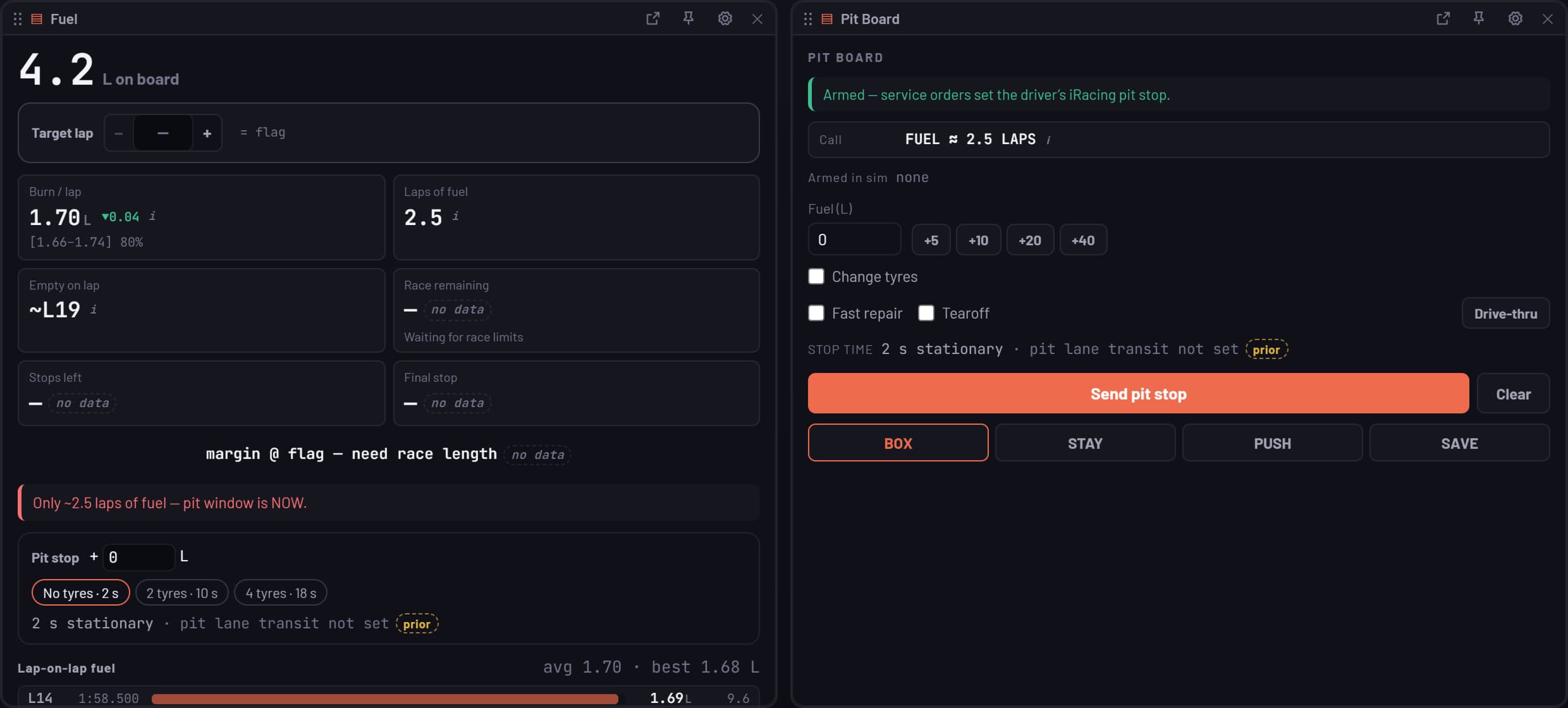
Real panels, replaying a Super Formula Lights race at Sebring
Three rooms
A small Windows recorder runs beside the sim and keeps every lap with telemetry and onboard video. Everyone else opens a browser: the engineer on a second monitor, the spotter on a phone, the stream in OBS.
01 · Live wall
02 · Analysis
03 · Debrief
The workbench
Muretto isn’t a fixed dashboard. Engineers choose the data, build the pages, write the channels and save the result as a template the whole programme opens, whether the laps came from a sim or a logger.
Flexible dashboards
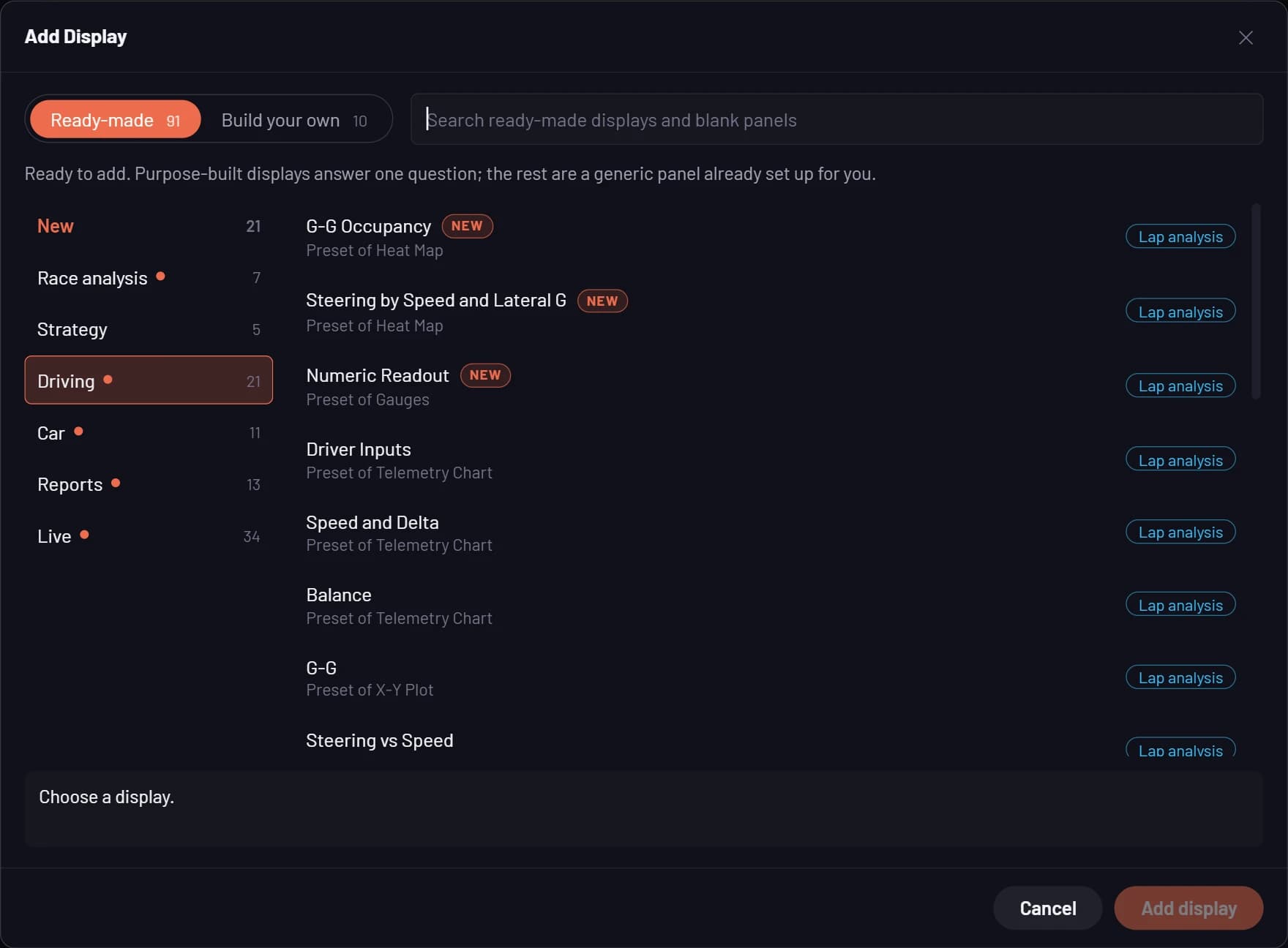
Every page is a workbook of worksheets you lay out yourself. Add a ready-made display that answers one question, or start from a blank chart, map, table or gauge and point it at any channel. Split, drag and resize, and pop any panel out to its own window on another screen.
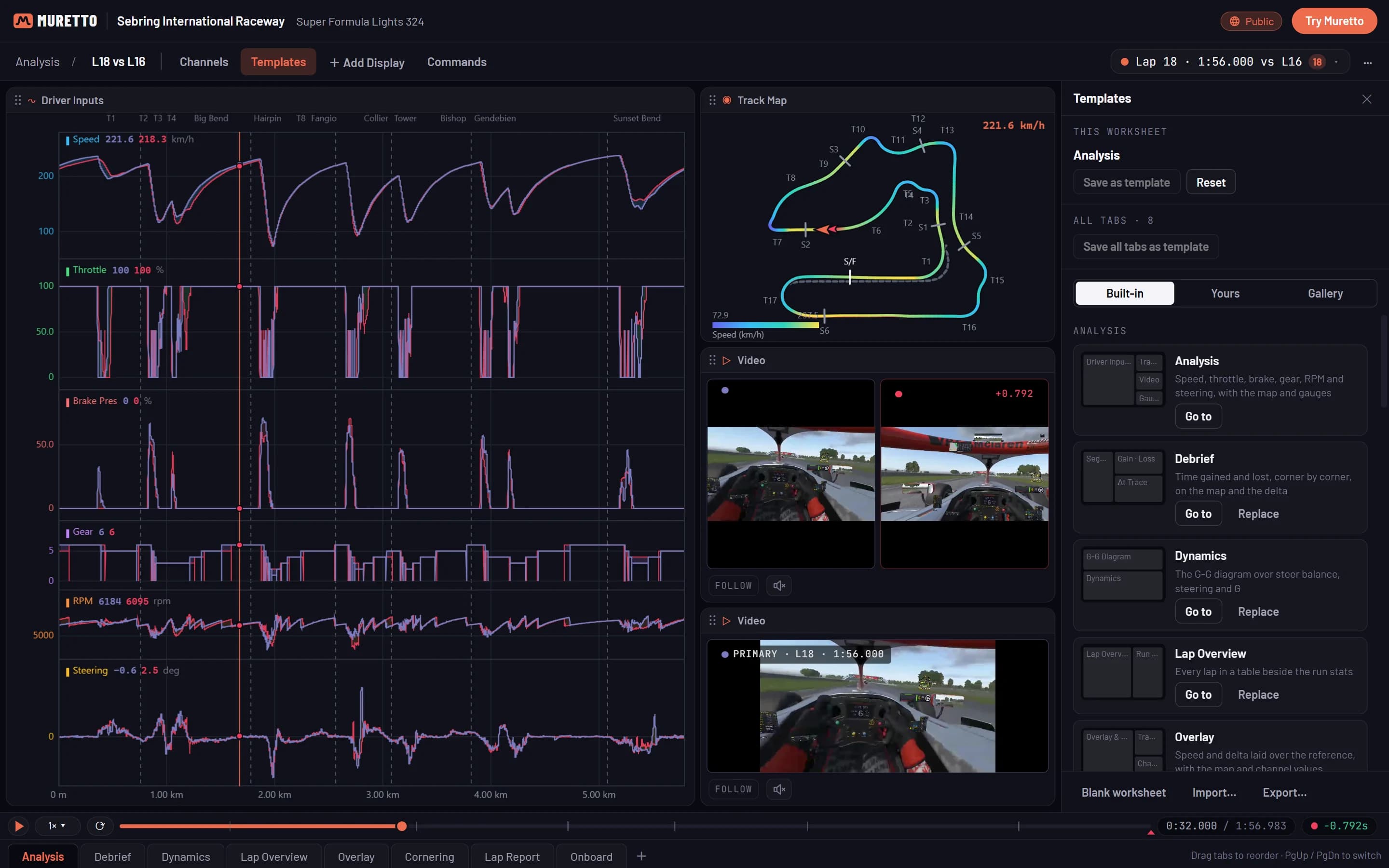
Templates
Start from a built-in workbook, an Engineer workbook of ten sheets or a Driver workbook of four, or save any sheet you’ve built as a template. Keep it in your account or publish it to the gallery, so a whole programme opens the same view on every session.
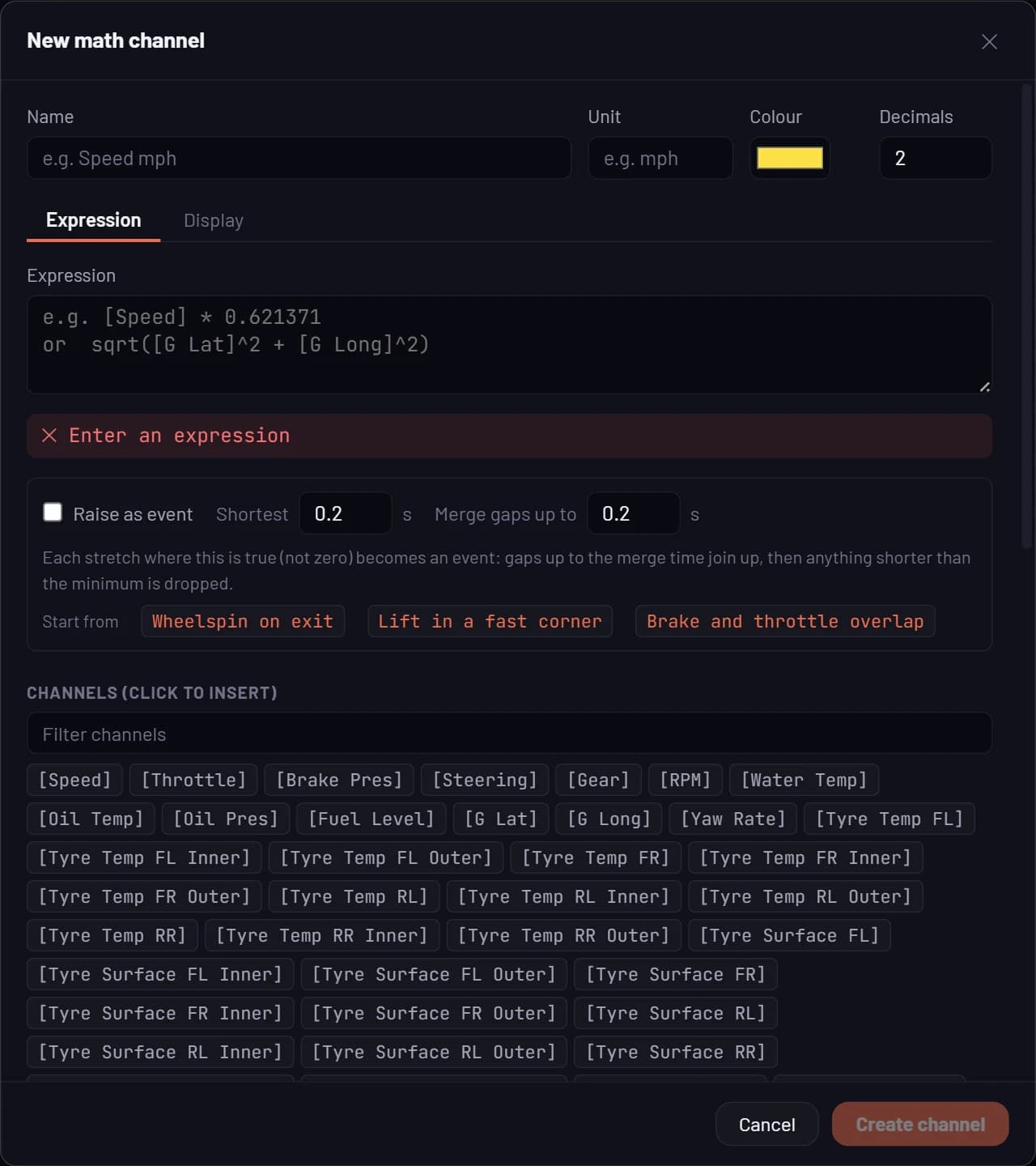
Custom channels
Write math channels over anything the car logged, in a plain expression language with units, colours and decimals of their own. Filter, smooth, differentiate, calibrate a sensor or condition one channel on another, then use the result anywhere a logged channel goes. Any expression can raise events too, like wheelspin on exit or a lift in a fast corner.
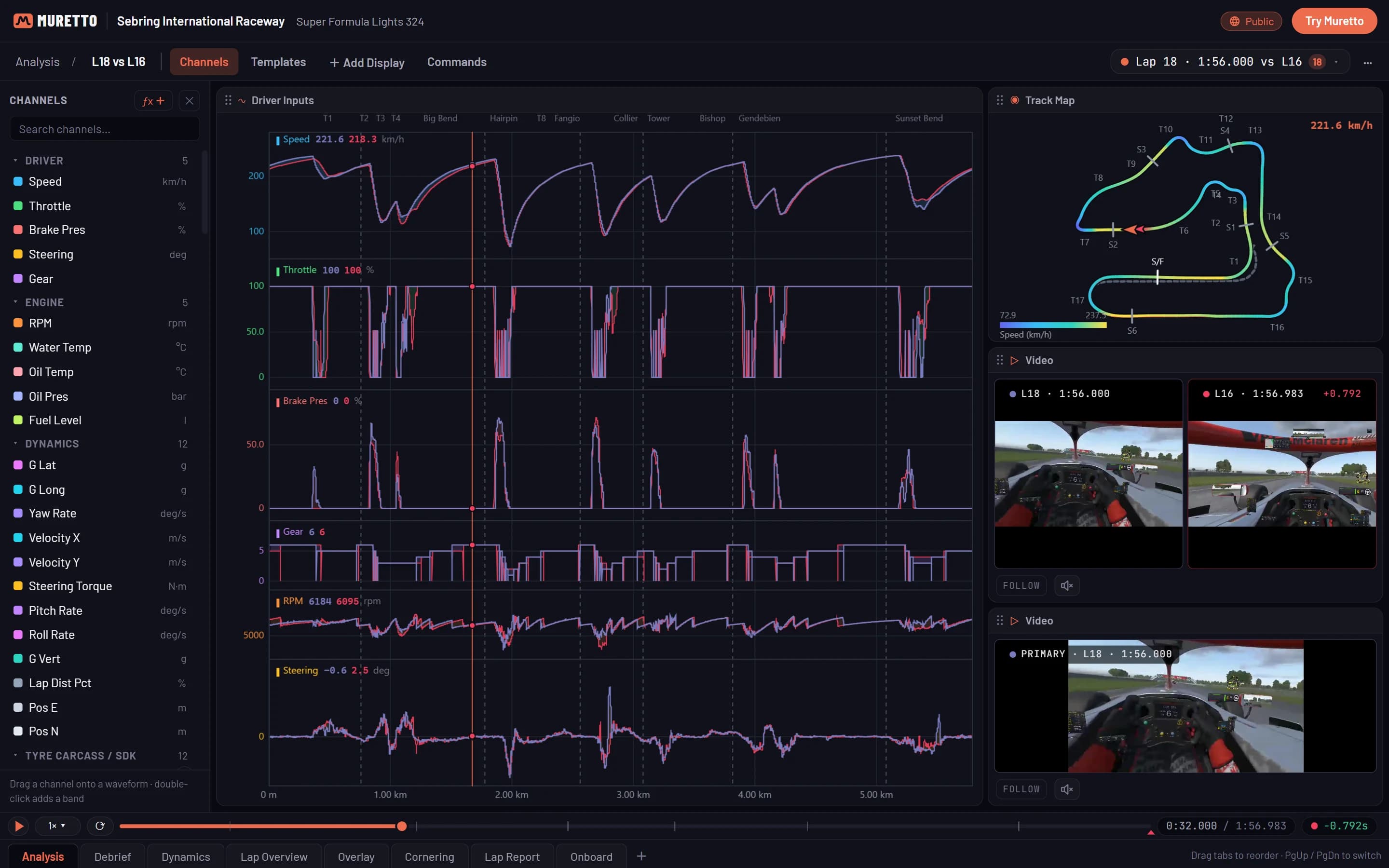
Your data
Pick laps from any session in the library, sim or real, and lay them on one distance and one cursor. Group them by stint, run, driver or setup with Compare by, and every table and trend on the page follows. Car profiles map each car’s and each logger’s channel names onto one standard set, so a workbook built once works across them all.
Agentic AI
Muretto’s AI doesn’t guess from a summary. Agents work through the actual laps with the same tools an engineer would, show their evidence, and leave the decisions to people.
In Muretto today · Pro
Ask about a session in plain words. An agent works through your laps with real tools, pulling telemetry, comparing laps corner by corner and checking stints, before it writes the answer.
Every number in an answer has to come from the data the agent read. Anything it can’t trace back is marked unverified, and corners it names open in the analysis.
Opens each session on its top findings: the corners you lose time in against a faster lap, and what to change in each.
Ask from the analysis workspace about the laps on screen, and the same agent answers from those laps, with the corners it names one click away.
Muretto Enterprise
Agents run the team’s routine work the moment an outing’s data lands: data checks, run reviews and car-to-car comparisons, as steps the team can read and change.
Every real-car outing checked for sensor faults, implausible channels, series rules and engine health drifting from that chassis’s own baseline.
Results land on the run’s card with their evidence, an owner and a status. A person approves every call, and a fixed fault can become a check for next time.
The bell, email, Slack or Teams, with quiet hours for each person, so the right engineer hears about it before the car goes back out.
Your own agents and notebooks plug in over MCP with keys scoped per team, and each instance chooses where its AI models run.
Models and engineering
Every prediction is labelled as one, with how sure it is, and a model only goes live once it has been checked against sessions it never saw.
Fuel use learned from every session, by car, track and conditions, and updated lap by lap as the race runs.
A trained model of each tyre runs live in iRacing, where the sim hides the data: tread surface, carcass, inflation air, hot pressure and grip, as labelled predictions.
Thousands of simulated races for each stop option, giving finishing-position odds for staying out or boxing now, next lap or the one after.
Pit-lane loss measured at each track, warm-up included, and shown with how sure the measurement is.
Controlled setup trials: a screening schedule of runs, then an ABBA confirmation, before a change is believed.
When the other tyre becomes the quicker one as the track wets or dries, lap by lap, and who switching now carries you past.
Engineering tools
Welch spectra with chosen windows and resolution, for damper and vibration work.
Damper speed in fast and slow bump and rebound, with each zone’s share of the lap.
Comparable sessions matched on fuel and track temperature, with pace, fuel and braking compared.
Shared notes, pit and driver tasks, and shift handovers through a long race.
Every lap exports as CSV. On Enterprise, your own AI tools read the library over MCP.
Sims and real cars
The recorder captures seven sims as you drive. Real-car logger files open as they are, after the run, with every file’s channels mapped to standard names and a report of exactly how it was read.
Recorded live
The channels available vary with each simulator.
| File | From | Laps from |
|---|---|---|
| .ld + .ldx | MoTeC | The .ldx beacons, else a lap channel or GPS |
| .pds | Pi Toolbox | The file’s lap markers or events, else GPS |
| .vbo | VBOX, RaceBox, RaceChrono | GPS, at a start/finish line |
| .csv | Logger exports, AiM included | A lap column, else GPS |
| .ibt | iRacing telemetry | Imported on their own from your PC |
Real-car data comes in from the files after a run; there is no live real-car telemetry. Every lap exports as CSV, and on Enterprise your own AI tools read it over MCP.
Muretto Enterprise · Pages
Pages is a shared space for debriefs, test plans and car handbooks, with the data live inside them. Engineers, drivers and data engineers write together, comment on the exact line, and every chart on the page is the real analysis, not a pasted picture.
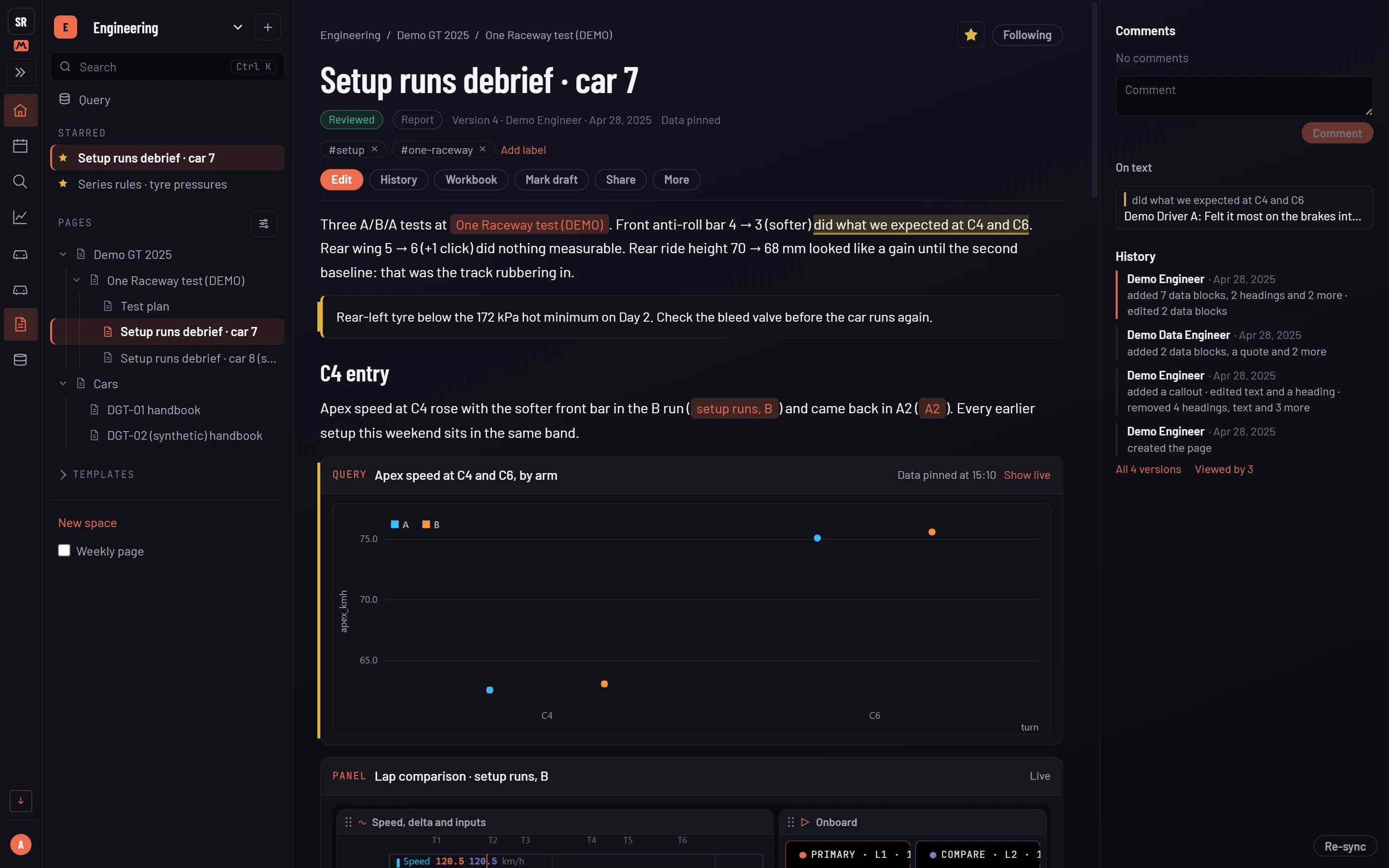
A setup debrief: a comment on the text, the history, a pinned query and a live panel
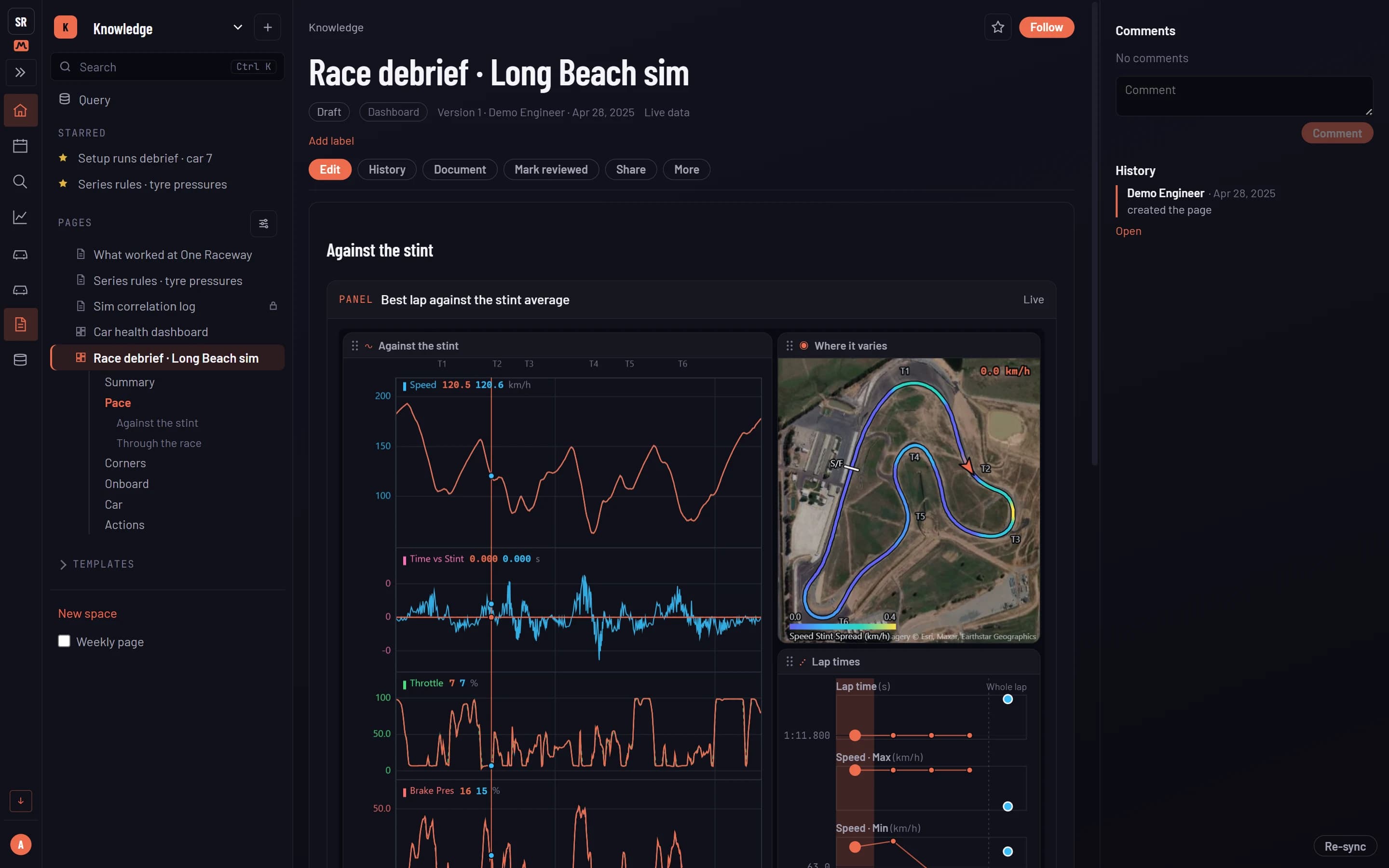
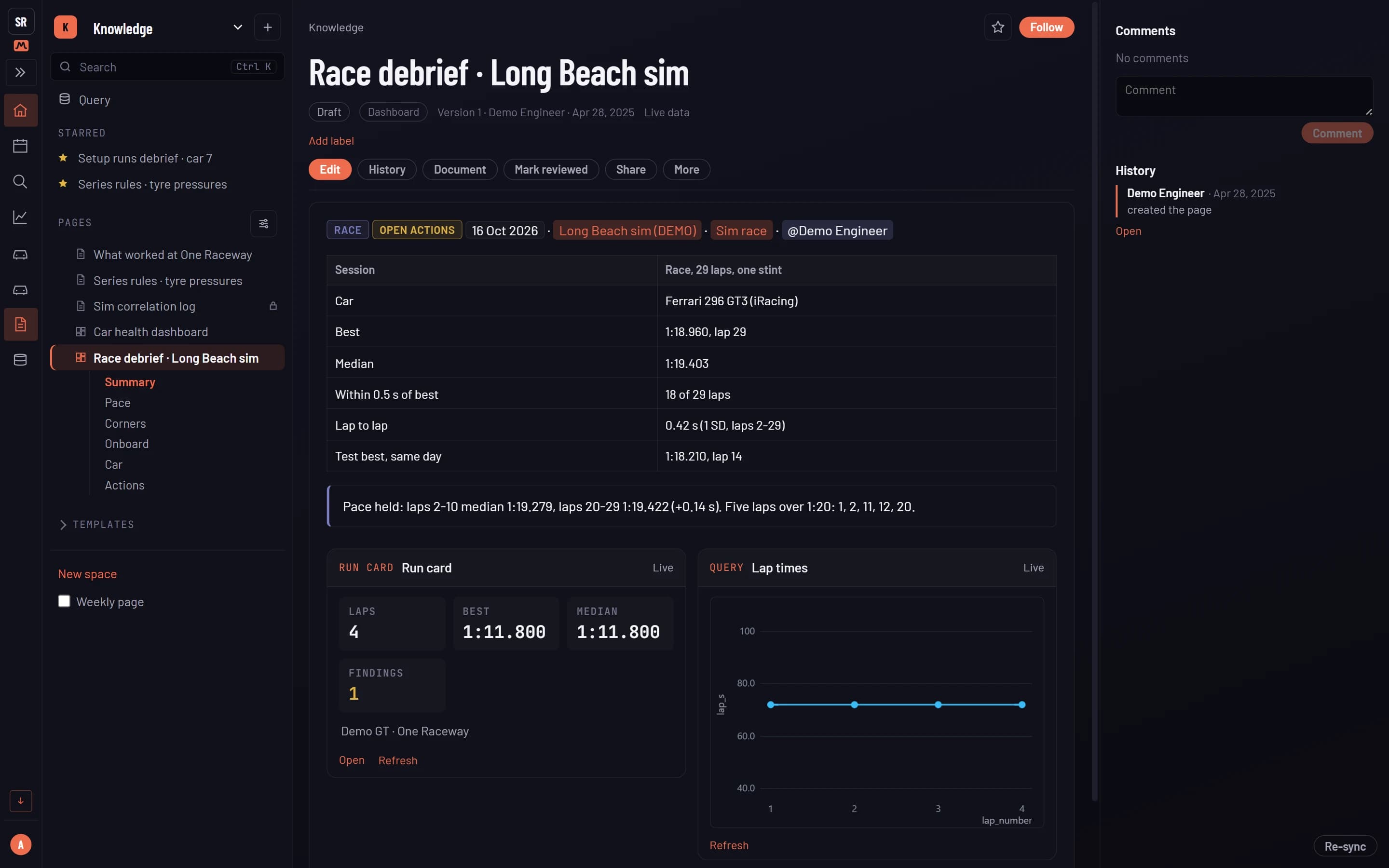
Live co-editing with everyone’s cursor on the page, comments pinned to the exact phrase, and a bell when a page you follow changes.
Drop in a query, a run card, a lap comparison or any analysis panel. Pin it to the numbers you wrote about, or leave it live and re-sync.
Every section of a page becomes a sheet of tiled panels, so a debrief opens like a dashboard and reads like a report.
Mention a test, a run or a lap and it links straight to it. Every page shows what references it.
Every version kept, with who added a block, edited the text or changed the numbers, and who has read it.
Debrief, test plan, post-event report and car handbook templates, in spaces for each part of the programme.
Page restrictions enforced in the database, and read-only share links you can revoke.
Import Markdown and HTML, export to Markdown or Word, and find anything from one search.
Pages is part of Muretto Enterprise, on a stack of your own. Shown here on demo data.
On the wall
Live tyres
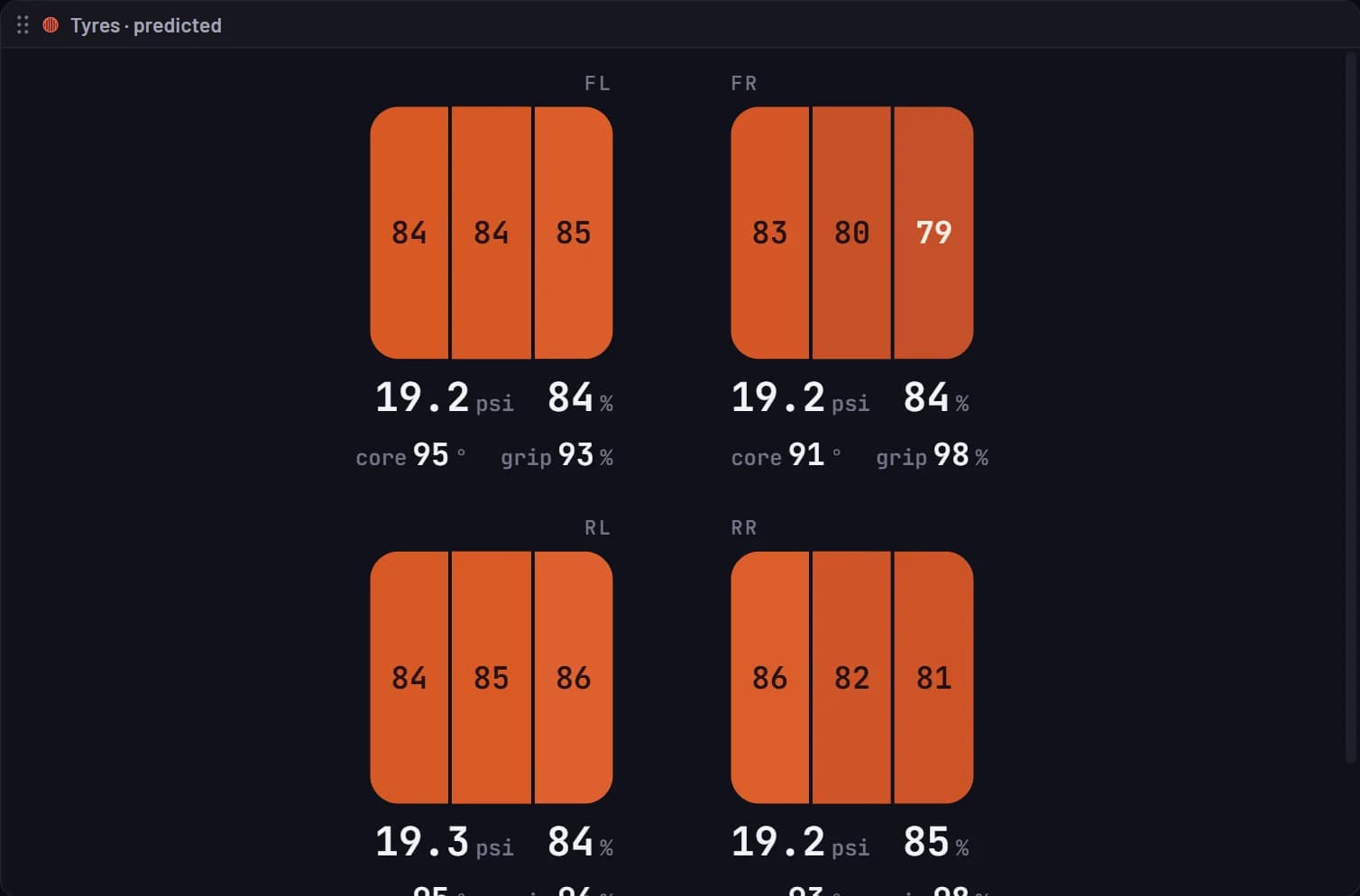
On track, iRacing’s live data has no tyre temperatures or hot pressures. Muretto’s tyre twin works them out for every tyre while you drive, across the tread and down to the carcass, and always labels them as predictions.
Endurance
Shared-car sessions stay one session. Laps split by driver, stints build themselves, and fuel to finish, final-stop litres and save-to-skip targets update every lap.
Crew
The recorder runs beside the sim. Everyone else opens a browser: the engineer on a second monitor, the spotter on a phone, the team stream in OBS.
Sim and real
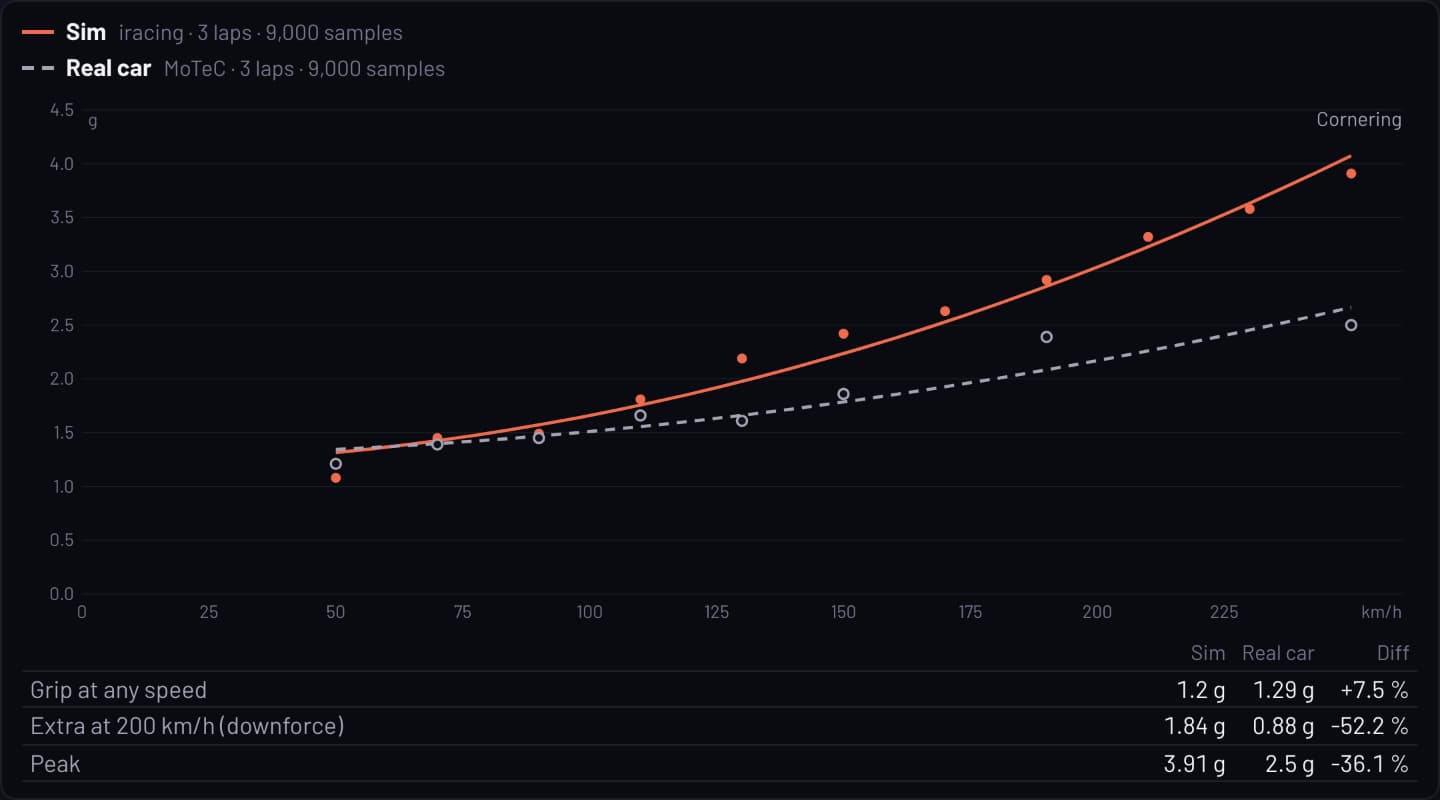
MoTeC, Pi Toolbox and VBOX files open as they are, beside the laps your drivers turn in the sim. Overlay them on one distance and one cursor, and see where the sim is quicker, slower or simply different.
Display library
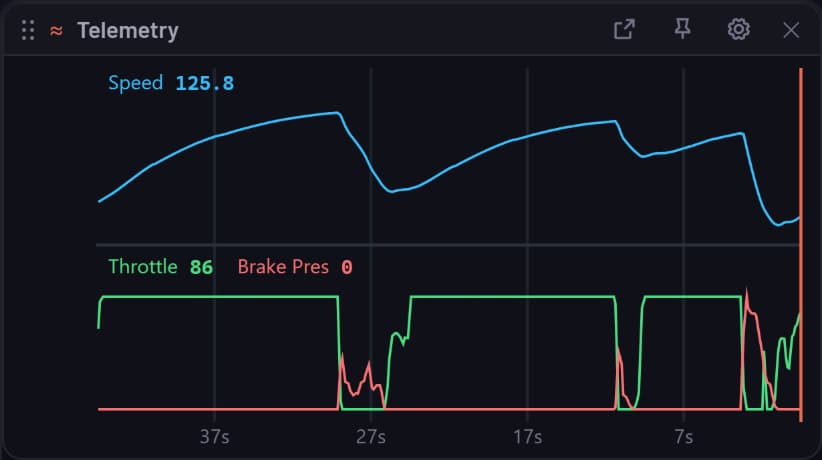
Some of the displays the workbench is built from, 45 of them, each shown as it looks in the app. Every one takes your own channels, laps and settings.
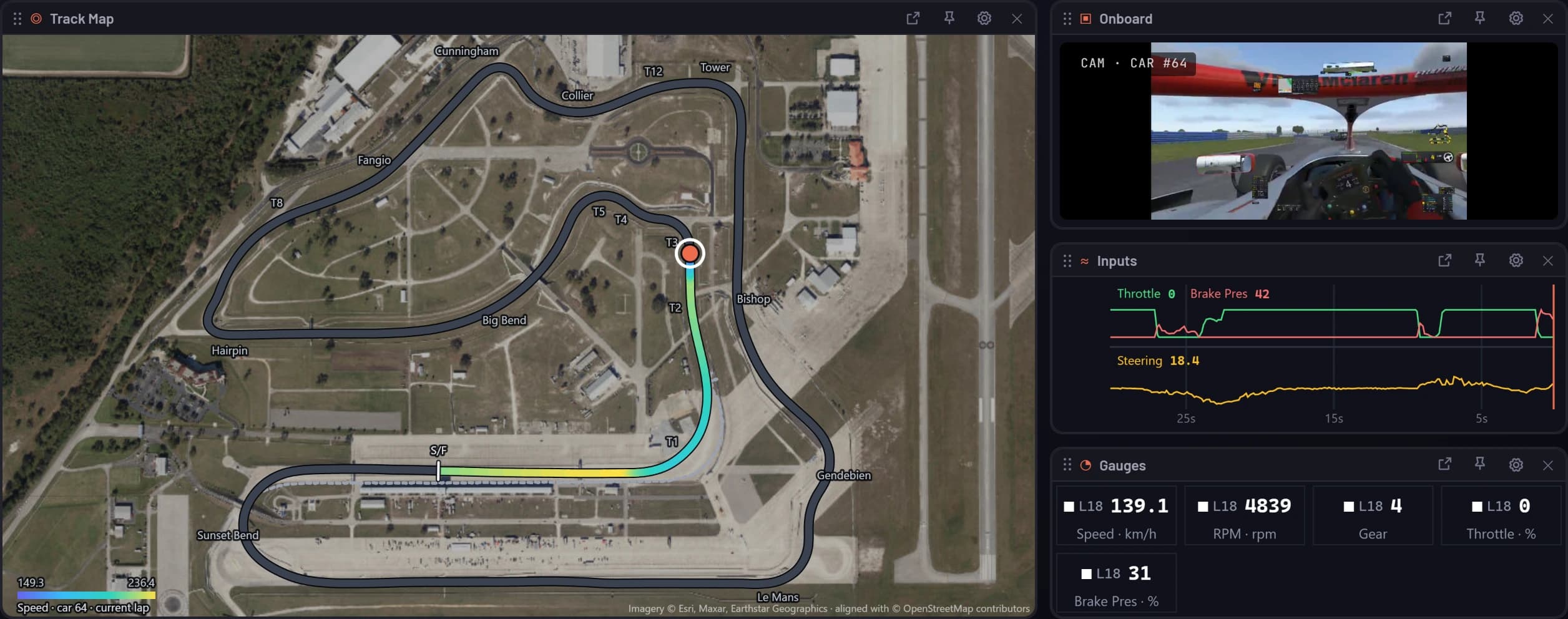
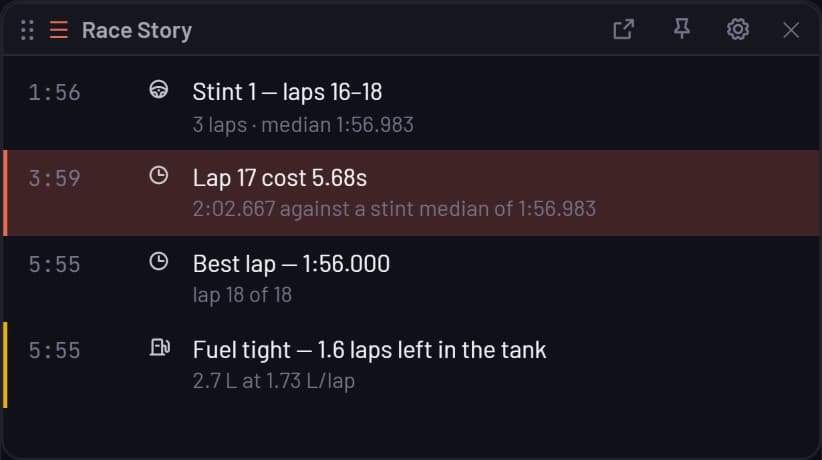
Every picture is the real panel. Most replay a Super Formula Lights race at Sebring; those marked sample data run on the app’s built-in demo race, because that recording carries only our own car.
During the session
What the crew watches while the car is on track. Every panel follows the car you pick, and any of them pops out to its own window on another screen.

Standings, intervals, relative or the classification, centred on your car.

Every car on the circuit, live, on satellite imagery with corner names.

Onboard video from every team car, beside the data.

Any channel scrolling live: inputs, fuel, temperatures or the weather.

The gap to any lap in the session, as it happens.

Each sector against the best, lap by lap.

Where the lap is gaining and losing against the reference, round the track.

Channel values as dials, bars or large numbers, for every lap on show.

One card per team car: tyre age and life, temperatures, fuel laps and mode.

Rain around the circuit, when it stops, and when wets become quicker.

Air and track temperature, the surface and what it does next, rain and wind.

Time or laps left, elapsed, the session and the flag.

Live alerts: stops, flags, personal bests and the moments worth a look.
For the long race
The engineer’s side of the wall. Fuel, tyres and stops modelled every lap, with the race simulated for each choice before you make it.

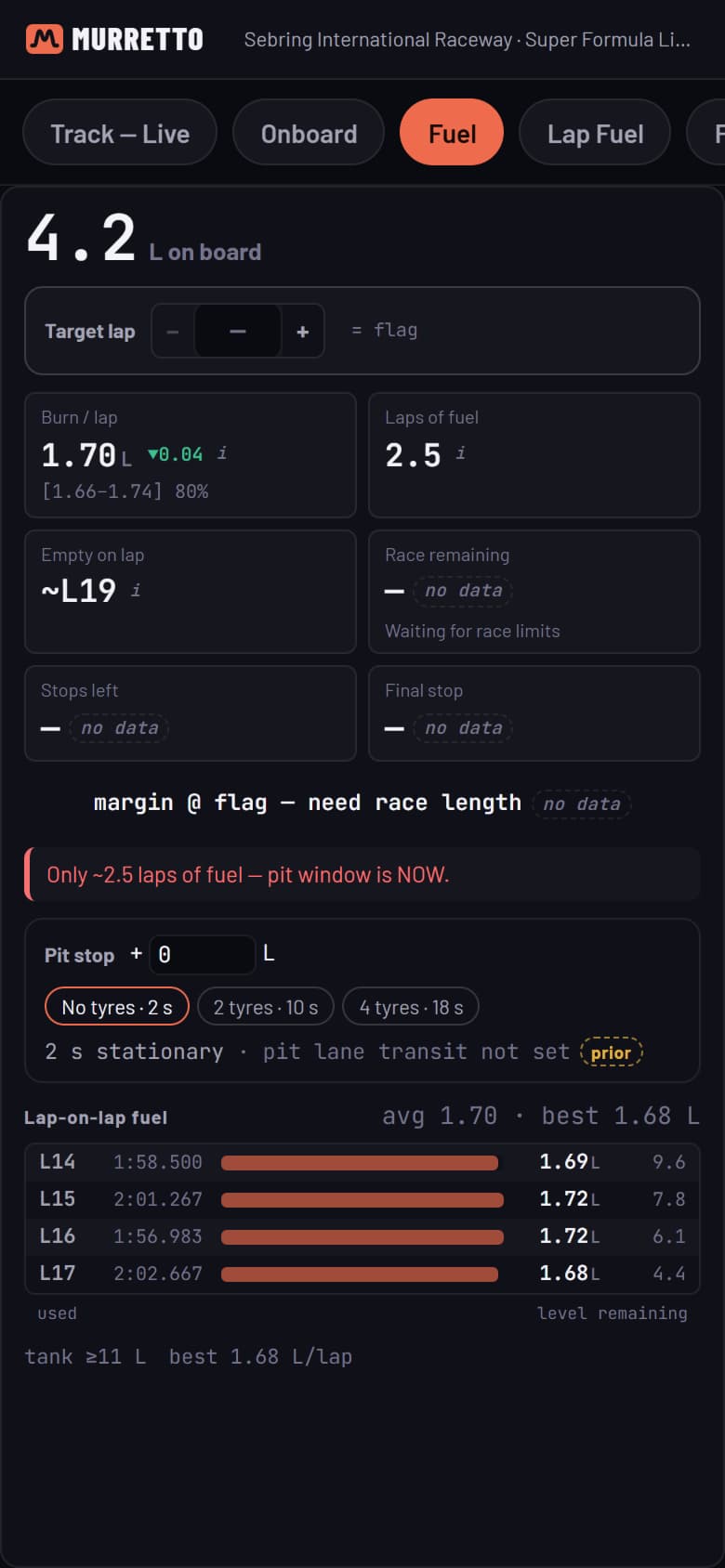
Fuel to finish, final-stop litres and save-to-skip targets, every lap.

Fuel used on every lap as bars, over a lap-by-lap ledger.

Laps on these tyres, stops, tyre sets, and when fuel forces the stop.

A stint board for the field, with driver rotation for shared cars.

The stops still to make, and what each one has to take.

Send the stop: fuel, tyres, repairs and the box, push and save calls.

Where a stop rejoins: the position, the cars either side and traffic at the blend.

Cars around you against the pit loss: who you can jump, and who can jump you.

The race simulated for staying out or boxing now, next lap or the one after.

Your position to the flag, and when and how each pass becomes likely.

The gaps between the contenders across the whole race.

Fuel to the flag, lap by lap, at push, measured and save pace.

Tread left and the lap time the tyres cost, lap by lap to the flag.

The next laps from the driver’s own pace and the rain that’s coming.

The tyre call: box or stay, and what the change is worth by the flag.

When the other tyre becomes quicker, and who the switch carries past you.
After the lap
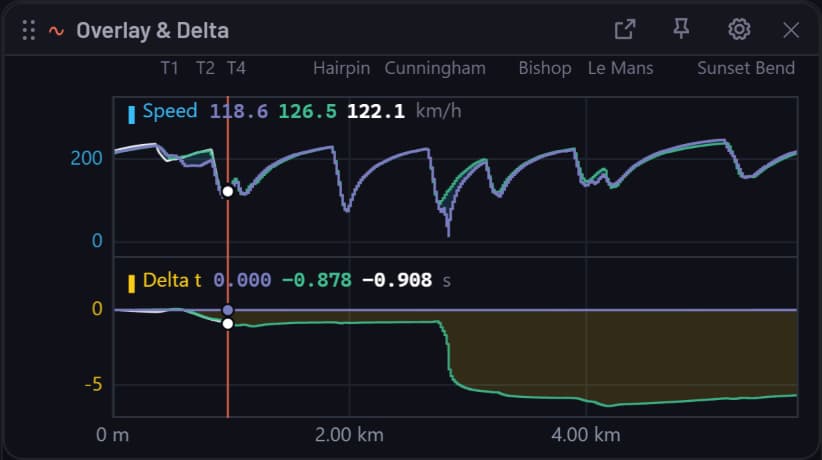
Lay any laps over each other on one linked cursor. Scrub the onboard video and every panel follows.

Channels over the lap in stacked lanes, one line per lap, with corner names.

Two laps over each other with the time gap between them, corner by corner.

The track coloured by any channel, with each lap’s racing line.

Every lap’s onboard clip, synced to the telemetry.

Lateral against longitudinal grip, drawn in as the lap plays.

The time gained or lost against the reference, metre by metre.

Time spent at each value of a channel, lap against lap.
The car itself
What the car did, not just the driver: grip, balance, tyres and the engine.

Grip limit and balance fitted from each lap, so sim and real compare like for like.

Each tyre’s predicted temperature across the tread, hot pressure, core and grip.

Oil pressure and RPM over the last two minutes, live.

Fuel lap by lap through the run, and the tyres at the end of the last lap.
The debrief
The numbers behind the laps, ready to share as a link once the session ends.

Time per track segment against the reference, worst first.

Where each lap gained and lost time against the reference.

Every lap with its time, gap to the best and sectors.

Each lap’s sectors and min, average and max of chosen channels.

Every channel’s value at the cursor, for each lap on show.
Pages that ship with the app
Who it’s for
Everything works for a single driver. Add a crew, a team or a whole programme whenever you’re ready.
Every lap kept with telemetry and onboard video. Overlay any two and see where the time went.
Every team car on one live wall, with fuel, stints and pit calls for the long race.
Sell setups, reference laps and coaching. Review your students’ laps on the real telemetry.
Your team’s sim and real-car data in one tool, under your company sign-in and kept private.
Getting started
Sign up free. Link your iRacing account if you race there.
A small Windows tray app. It finds the sim on its own and starts recording.
In any browser, on any screen. Invite the crew to your team.
Plans
Only the driver whose laps are recorded ever chooses a plan. Engineers, spotters, coaches and viewers never pay. Paid plans keep more onboard video and add the AI tools.
Start here
Recording, analysis, live timing, spotting, teams and share links. Your fastest lap in each condition keeps its video for good; other video for 7 days.
One driver
Everything in Muretto for one driver: every lap’s onboard video kept 90 days, best laps for good, plus the AI coach, Race Intelligence and Google 3D replay.
Per driver
Pro for every driver on one bill, priced per driver. Co-drivers keep their team-session video, and drivers can be added or removed any time.
Esports & enterprise
Company sign-in, sim and real data in one library, and as much privacy as your programme needs.
Talk to usYour team’s workbooks, pages and data on a Muretto stack of your own, in your region, under your company sign-in. Nothing is pooled with anyone.
Everything in Private Cloud, with us building the workbooks and doing the analysis beside your engineers: field benchmarks, tyre models and pit loss for your tracks.
Across Scorsa
Discord
Session reports, race write-ups, race plans and personal bests post to your Discord server through the myRaceStats bot, beside the iRacing results it already shares.
About myRaceStatsServices
Need a logger format checked, a private stack stood up, or something built for your series? Our engineering services are informed by the products we build ourselves.
Our servicesQuestions
Muretto (moo-RET-oh) is Italian for the pit wall: where the team watches the car, reads the data and makes the calls. That is what this is, for your crew, wherever they are.
No. Agents gather and check the evidence, and every number they state has to trace back to the data they read. On Enterprise, findings wait for a person to sign them off.
A Muretto account and the recorder on the Windows PC running your sim. Everyone else only needs a browser.
No. Only the driver whose laps are recorded ever chooses a plan. Engineers, spotters, coaches and viewers never pay.
Sending pit stops from the wall works with iRacing. Timing, fuel and the rest of the wall work across the supported sims, with channels varying by sim.
It complements them. Muretto is built for the wider crew: remote timing, spotting, analysis, lap storage and multi-screen race operations.
Muretto
Start free with the recorder, or talk to us about a roster, a programme or a private stack.